How do I choose a bouncing ball video maker, step by step?
- Name the format. Say what happens in one sentence: "the balls double until the screen bursts", "the ball escapes 100 rings", "the ball plays a song". If a ready-made simulation already does that, you can skip building it.
- Decide who builds the scene. In a browser studio the scene exists and you tune it. In a sandbox or 3D software you build walls, balls and rules yourself: more freedom, more time.
- Check the sound. Bouncing clips rely on sound. Does the tool make the bounce sounds, sync them to music, or will you add audio later?
- Check format and cost. Look for a vertical 9:16 export, the cost type and whether free exports carry a watermark.
- Preview before you commit. Run the idea once, watch it on a phone with sound on, and only then spend time on a series.
How do the methods compare for bouncing ball videos?
Compared by method, not by brand. "Depends on the app" means it varies between apps of that type.
Ways to make a bouncing ball video, compared by method| Method | Setup time | Skills needed | Cost type | 9:16 output | Customization |
|---|
| Browser studio (Vidirexa) | Minutes: pick a game, set counts and colours, preview | No editing or physics skills | Free plan: 2 recordings a day with a watermark; paid plans remove it | Vertical 9:16 MP4 with the game sound | Per-game controls such as starting balls, target count, arena shape, palette, sound set and seed |
|---|
| Physics sandbox app (for example Algodoo) | Longer: you draw the arena and set up the balls | Scene building and tuning, then capturing the run | Algodoo is free for Windows and Mac; the iPad version is an App Store purchase | Capture the run, then frame it as 9:16 | Any 2D scene with walls, balls and springs you place |
|---|
| 3D software (for example Blender) | Longest: build, simulate and render | Modelling, physics simulation, rendering | Blender is free and open source | Any output size you set, such as 1080 x 1920 | Everything, including materials, lights and camera |
|---|
| Phone video editor | Minutes, once you have a clip | Basic editing | Depends on the app | Depends on the canvas you choose | Text, music, cuts and effects on existing footage, not a bounce simulation |
|---|
Which bouncing ball format do I want?
Each of these formats already exists as a ready-made simulation:
- Balls that multiply until the screen bursts: Will My PC Explode? and Neon Ball Doubler.
- A ball that escapes rotating rings: Ring Escape, with up to 150 rings and a race of one to three named balls.
- A bouncing ball that plays a song: Melody Bounce builds the level from the tune, so every pad hit is the next note, and you can load your own MIDI file.
- A ball that fills its arena: Bounce & Fill grows material on the wall with every hit, and Every Bounce leaves a copy of the ball on every frame until the trail fills the arena.
When is a browser studio enough?
When your idea is one of the formats above. In Vidirexa each game is a finished simulation with its own controls, sounds and ending, so the clip stops by itself once the run is complete. Three starting points:
- Chain doubling: Neon Ball Doubler with Mode Chain reaction, Arena shape Hexagon, Ball palette Ocean, Target ball count 2048 and Sound set Glass.
- Ring race: Ring Escape with Balls set to 3, a name and colour for each ball, Ring shape Star, Rotation Alternating and Centre counter Rings left.
- Song bounce: Melody Bounce with a built-in public-domain classic such as Ode to Joy, or your own MIDI file of music you have the rights to use.
What can a browser studio not do?
Each game has a fixed set of controls and a maximum length, which its game page states. You can change the arena, counts, colours, sound and seed, but you cannot add an object or a rule the game does not offer. For a completely new mechanic, a sandbox or 3D software is the better tool.
When are a sandbox app or 3D software worth the extra time?
A 2D physics sandbox such as Algodoo, made by Algoryx, lets you place walls, balls and springs and watch them interact. According to its official site it is a free download for Windows and Mac. You still need a way to save the run as video and fit it into a vertical frame.
For a 3D look, Blender is free, open-source software (GNU GPL) for Windows, macOS and Linux. Its manual documents rigid body physics, custom output sizes such as 1080 x 1920 and MPEG-4 video output. Expect to learn modelling, simulation and rendering first, and allow for render time on longer clips.
Where does a phone video editor fit in?
After the simulation. A phone editor cuts clips, adds captions, music or a voice-over and exports for vertical feeds, but the bouncing itself has to be recorded or rendered first. You can make the clip with one method and add the final text in an editor.
How should I post a bouncing ball video?
A few habits that suit every method:
- Hook: ask a question viewers can answer, such as "How many balls before it bursts?" or "Which ball escapes first?".
- Length: let the payoff end the clip. A burst, an escape or the last note should come at the end, with no long tail after it.
- Caption: ask for a guess (the final count, the winning colour or the song) and answer it in the next video.
Games for this guide
 Neon Ball Doubler: Glowing balls double every time they pass a neon ring inside an outlined arena, drawing rainbow tracer fans and synchronous wave fronts. Mirror-catch and chain-reaction modes, twelve arena shapes, palettes and sound sets.
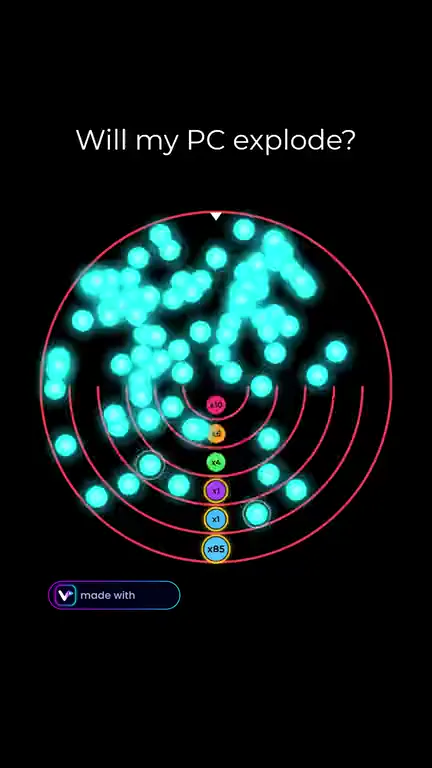 Will My PC Explode?: Balls multiply at x2, x5 and x10 gates in a neon ring until the flood of balls explodes the screen.
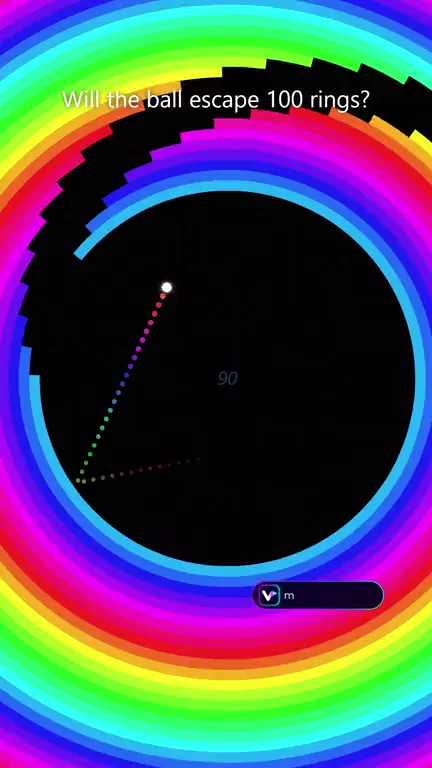 Ring Escape PRO: A small ball slips out through the gaps of up to 150 rotating rings while the camera zooms out.
 Melody Bounce PRO: A ball plays a song: every pad it hits sounds the next note, exactly on the beat. The level is generated from the tune, so short notes make tight zig-zags and rests make long flights. Pick a public-domain classic or an original, or load your own MIDI file.
 Bounce & Fill: A ball bounces inside a circular arena. Every wall hit grows a bump of material on the wall and shrinks the ball until the arena is a seamless filled disc. Twelve procedural materials, geode and melt modes, up to four balls.
 Every Bounce: A shape leaves a copy on every frame and grows, speeds up or shrinks with each bounce until it fills the arena.
Video makers for this
Questions
Can I make a bouncing ball video that plays a song?
Yes. In Melody Bounce the level is built from the tune, so every bounce lands on the next note. Use a built-in public-domain or original song, or load your own MIDI file of music you have the rights to use.
Is a bouncing ball video maker free?
It depends on the method. Vidirexa preview is free without an account and the Free plan records 2 videos a day with a watermark; some games need a paid plan in a given week and show a PRO or CREATOR badge. On a computer, Algodoo (Windows and Mac) and Blender are free downloads.
Do I need to install anything?
Not for Vidirexa, which runs in the browser. Algodoo and Blender are programs you download and install, and phone editors are apps from your phone's app store.