How to make satisfying videos for TikTok, Reels and Shorts
A satisfying video is a short clip with one clear process and one clear payoff: balls multiply until a container bursts, a silhouette fills to the brim, a blade carves through a gem, fruit merges up to its final form. Viewers stay because they want to see the end.
You do not need a camera, a 3D program or editing skills to make one. Every game in Vidirexa is a simulation you set up, preview and record in the browser, so the work is choosing a format and tuning it until the payoff feels right.
Step by step
- Pick one process. Choose a game whose whole clip is one idea you can describe in a sentence: "the balls double until the screen is full", "the car snaps together", "the shape fills up". The game pages below describe exactly what each one shows.
- Set up the payoff. Most games let you choose the target or the ending: a burst count, a fill level, a final tier, an ending style. Set it so the finish is big and obvious on a small phone screen.
- Preview the full run. Press preview and watch the whole simulation before recording. Preview is free and needs no account, so try a few settings and keep the version where the build-up feels steady and the finish lands cleanly.
- Check the first second. Watch the start again with fresh eyes. Something should already be moving or a question should already be on screen; a slow, empty start is the easiest thing to fix by changing the speed or the starting count.
- Record and download. Sign in and record. The video downloads as a vertical 9:16 MP4 that is ready to upload to TikTok, Instagram Reels or YouTube Shorts.
What makes a clip satisfying
Steady progress you can see (a counter climbing, a container filling, a stack growing), a rhythm (ticks, bounces or notes on a beat), and an ending that resolves everything: a burst, a reveal, a finished build or a seamless loop back to the start.
Keep the frame readable. Strong contrast between the objects and the background, a few colours rather than many, and text that is large enough to read on a phone all help the process stay easy to follow.
- Multiplying and doubling games (Shape Merger, Neon Doubler) build to a burst.
- Fill and merge games (Silhouette Fill, Fruit Merge) build to a full, finished shape.
- Build and cut games (Brick Build, Chaos Cutter) are calm, ASMR-style processes with a reveal.
Sound
Many games have their own sound sets with a volume control; others can be recorded silently so you can add audio in the app you post with. If you add music later, use tracks you have the rights to use or the sounds the platform offers.
Games for this guide
 Shape Merger: Six original multiplying-ball and polygon crusher simulations with tunable physics. Pick a mode, set how many pieces each crush creates, how fast the crusher moves and how bouncy the balls are; the clip ends on its own when the container bursts.
 Neon Ball Doubler PRO: Glowing balls double every time they pass a neon ring inside an outlined arena, drawing rainbow tracer fans and synchronous wave fronts. Mirror-catch and chain-reaction modes, twelve arena shapes, palettes and sound sets.
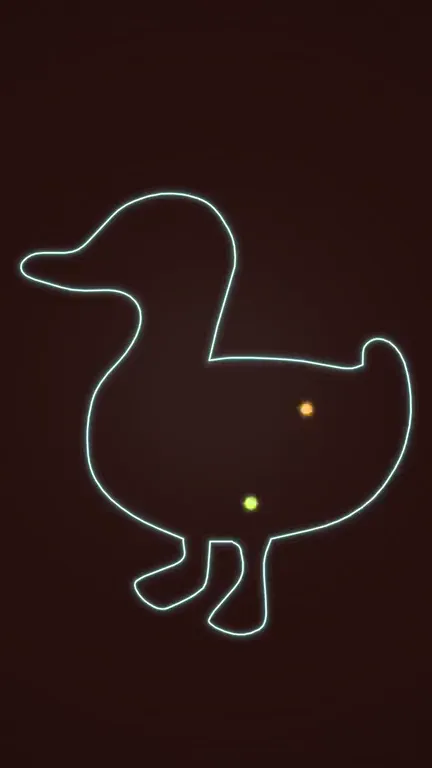 Silhouette Fill Loop CREATOR: A glowing silhouette outline fills with multiplying balls, soft bodies, liquid, sand, bubbles or beads. They fuse into a swirling fill, shrink back into the first ball and the clip loops without a seam.
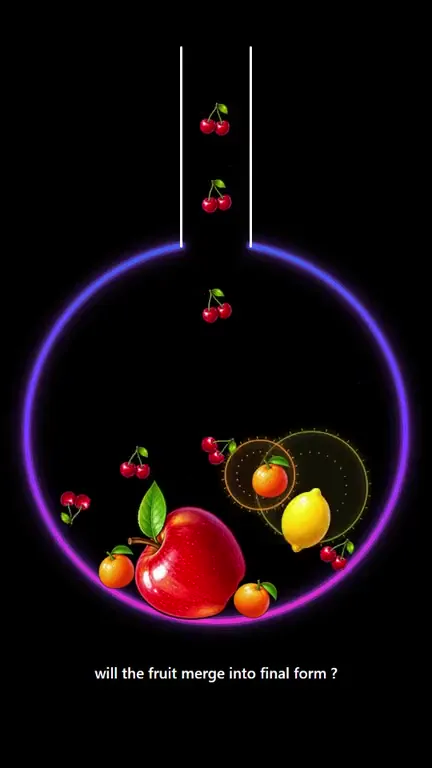 Fruit Merge: Watch fruits drop, merge and evolve tier by tier into the crowned final form, then record it as a vertical video. Choose the container shape, the fruit style, the number of evolution tiers and the physics; the clip ends on its own.
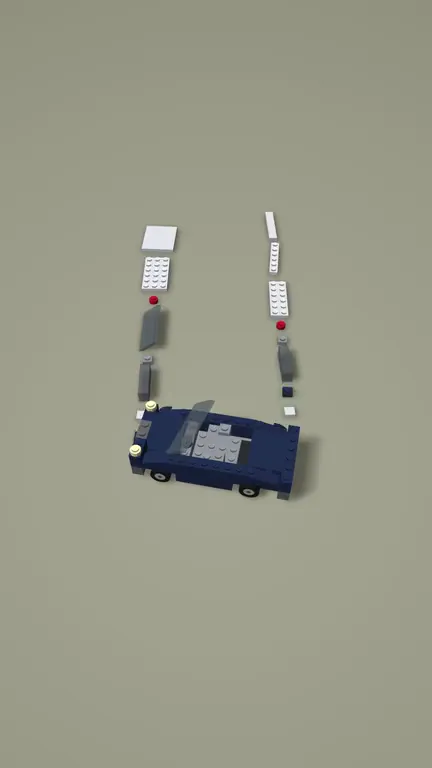 Brick Build: An original brick-vehicle speed-build: studded plates, tiles, slopes, fenders, glass and wheels slide along a conveyor and snap into a car on a matte studio floor, with a slow orbit and a hero reveal.
 Chaos Cutter CREATOR: A chaotic multi-link pendulum swings a spinning blade through a target. Every pass carves out the swept path and whatever sat above the cut shatters, while the pivot lowers and the arms extend until nothing is left.
Video makers for this
- Satisfying video maker
- Bouncing ball video maker
- ASMR and building video maker
- Merge video maker
- Glass shatter video maker
Questions
Do I need editing software?
No. The game renders the whole clip and the recording downloads as a finished vertical MP4. You can still trim it or add text in any editor if you want to.
Can I preview before I sign up?
Yes. Every game can be customized and previewed in the browser without an account. You sign in when you want to record.
Are these stock clips?
No. Each video is a simulation that runs with your settings when you record it, so two people using different settings get different clips.