How do I choose a marble race video maker, step by step?
- Write the idea in one line. For example "six named marbles, one winner" or "a track with loops I designed". Names and colours on a ready-made race fit a studio; a track built piece by piece needs a sandbox or 3D software.
- Decide how much time you have. To post today, pick a method where setup takes minutes. In a 3D program, learning the tool, building the track and rendering all come first.
- Check the output. Feeds use a vertical 9:16 frame. Check whether you get a 9:16 file directly or must capture the screen and crop it.
- Check the cost type. Free, free with limits, one-time or subscription? Do free exports carry a watermark? Read the tool's own pricing or download page, because this changes.
- Make one test race. Watch a short test on a phone. If the names are readable and the finish is clear, start the series.
How do the four methods compare?
A cell that says "depends on the app" varies between apps of that type.
Ways to make a marble race video, compared by method| Method | Setup time | Skills needed | Cost type | 9:16 output | Customization |
|---|
| Browser studio (Vidirexa) | Minutes: open Marble Race, change settings, preview | None beyond choosing settings | Free plan with 2 recordings a day and a watermark; paid plans without a watermark | Downloads a vertical 9:16 MP4 | The game's controls: names, colours, track theme, track length, physics sliders, seed |
|---|
| 2D physics sandbox (for example Algodoo) | Longer: you draw the track and place the marbles | Building and testing a scene, capturing it as video | Algodoo: free download for Windows and Mac; the iPad version is sold on the App Store | You capture the run and fit it into a 9:16 frame | Any 2D track you can draw |
|---|
| 3D software (for example Blender) | Longest: model, simulate, then render | 3D modelling, rigid body physics, lighting, rendering | Blender: free and open source | Set a portrait resolution such as 1080 x 1920 before rendering | Full control of track, materials, lights and camera |
|---|
| Phone video editor | Minutes to edit, but you need race footage first | Basic editing | Depends on the app; check its store listing | Set by the canvas or export settings of the app | Cuts, text, music and captions on top of footage; it does not simulate the race |
|---|
When is a browser studio the right choice?
When you want a race today and the fun is in the names, not the track. In Vidirexa, Marble Race already has the track, physics and a chase camera. You choose Race mode (Versus for two marbles or Six-marble race), Track theme (Wooden track, Neon night or Candy pastel), Track length (Short, Medium or Long), and sliders for Race speed, Bounciness, Track friction, Marble size and Spinner speed. The race ends shortly after the winner crosses the line, at 90 seconds at most.
The limit is the control list: you cannot draw your own track or add obstacles. Repeatable seed replays a race you liked, so you can record it again with new names.
- Quick rivalry: Race mode Versus (2 marbles), Track length Short, Track theme Neon night, and two names your viewers already know.
- Standings battle: Six-marble race, Track length Long, Track theme Wooden track, and Bounciness turned up so the order changes more often.
- Calm candy race: Track theme Candy pastel, Race speed turned down so each overtake is easy to follow, and Original synthesized sound On.
When is a physics sandbox app the better fit?
When the track itself is your idea: a contraption you designed, a maze you drew or a layout viewers have never seen. Algodoo is a 2D physics sandbox from Algoryx. Its official site offers it as a free download for Windows and Mac, and the iPad version is sold on the App Store.
The trade-off is time and a capture step: you build and test the scene, then save the run as video and fit it into a vertical frame. Check the app's own options first; a screen recorder is the general fallback.
When does 3D software make sense?
When you want full control of the look: your own track model, materials, lighting and camera moves. Blender is free and open source under the GNU GPL and runs on Windows, macOS and Linux. Its manual covers rigid body physics, setting the output resolution, for example 1080 x 1920 for a portrait clip, and writing MPEG-4 video.
Expect to learn modelling, physics, baking and rendering before the first race; render time depends on the scene and your computer.
Can a phone video editor make a marble race video?
Not on its own. A phone editor works with clips you already have: it trims them and adds text, music, stickers or captions, then exports for vertical feeds. The race itself has to come from somewhere else first, such as a studio recording, a sandbox capture or a 3D render.
Use it as a second step: record the race first, then add a voice-over or a question in the app you post with.
How do I post the race once it is made?
Posting habits that suit every method:
- Hook: put the question in the picture from the first frame, for example "Which colour wins?" in the Video title field of Marble Race.
- Length: stop soon after the finish line. The winner is the payoff, so a long lap after it adds nothing.
- Caption: list the racers and ask for a prediction, then post the rematch as the next video.
Games for this guide
 Marble Race: Named marbles race down a wooden, neon or candy track; keep the seed to replay the same race with new names.
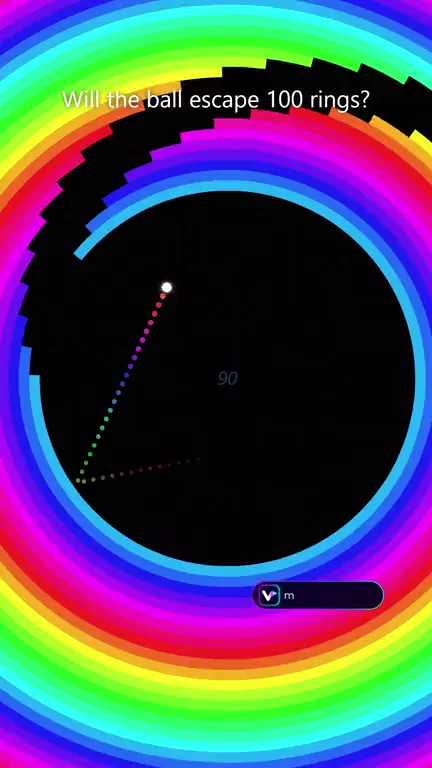 Ring Escape PRO: A small ball slips out through the gaps of up to 150 rotating rings while the camera zooms out.
 Ball Barrier Race CREATOR: Two lanes race down numbered barriers or floor columns: power against crowd, 1 ball against 1,000 balls, or 5 balls against 1 accelerating ball. Neon, nebula, midnight and paper looks.
 Stick Race: Up to 16 named stick figures sprint through a generated obstacle course until one survivor finishes.
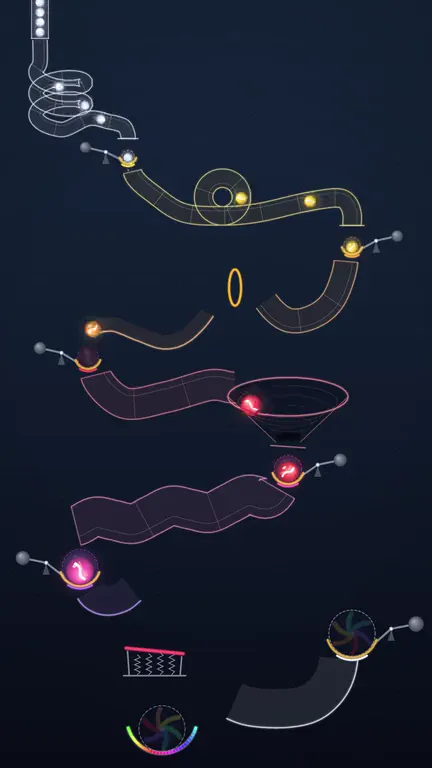 Marble Machine CREATOR: A hopper feeds small marbles into a chain of counter-weighted cups. Each cup fuses the marbles it catches into a bigger marble of the next colour and tips it onto the next contraption, until the rainbow marble lands in the bowl.
Video makers for this
Questions
What is the quickest way to make a marble race video?
A ready-made browser studio, because the track, physics and camera already exist. You change the settings, preview and record, with nothing to install.
Is there a free marble race video maker?
Several methods have a free option. Vidirexa previews are free without an account, and the Free plan records 2 videos a day with a vidirexa.com watermark. Algodoo is a free download for Windows and Mac, and Blender is free and open source. Check each official page for current terms.
Which method gives me a 9:16 file directly?
Vidirexa downloads a vertical 9:16 MP4. In 3D software you set a portrait resolution yourself before rendering. With a sandbox app you capture the run and fit it into a 9:16 frame, and a phone editor exports in the canvas shape you choose.