How to customize colors and text in your videos
Names, colours and a few words of text are what turn a generic simulation into your video. A battle between your friends, a race between your followers or a question written in your own words gives viewers a reason to care who wins.
Most games have their own naming and colour options; this guide shows what to look for and how to keep custom text readable on a phone.
How to customize a clip
- Open the settings. Open a game in the studio. Its settings list every option, and the game page lists them too under "What you can customize".
- Name the contenders. Games such as Line Arena, Marble Race and Beat Ball let you name each contender, team or player. Short names (one word, or initials) stay readable on small screens.
- Pick colours that separate. Give rivals colours that are far apart, and check them against the background in preview. Avoid two shades of the same colour in one race or battle.
- Write your own text. Some games take your own words: Eureka Lab accepts your own question, Chaos Cutter can carve through your word, Spin Loop has a "Your text" subject and Pulse Bloom lets you change its badge text.
- Preview on a small window. Preview the clip in a narrow browser window or on your phone to check that every name and word is still legible.
Ideas
A friends showdown in Line Arena with everyone's names, a flag or team line-up, a quiz built from your own Eureka Lab question, or your account name carved by Chaos Cutter. Some games also accept your own photo, which stays on your device.
Premium customizations
A few options are marked as premium customizations on the game page. They can be tried in preview; recording with them needs Creator, Pro or Lifetime.
Names, brands and rights
Use names and pictures you are allowed to use. When you name contenders after real people, teams or brands, keep it friendly and avoid suggesting that they endorse your video.
Games for this guide
 Line Arena: Balls fan coloured lines to the rim of a shrinking ring; touching a rival line steals it, or cuts it until the owner bounces off the wall and regrows. Use flag, football, basketball or tech line-ups, your own contenders or your own photos, and pick from fourteen scenes and eight on-screen layouts.
 Marble Race CREATOR: Run a seeded 3D marble race and turn it into a vertical video. Name and colour up to six marbles, pick a wooden, neon or candy track and its length, tune speed, bounce and friction, then preview the whole race for free before you record.
 Eureka Lab PRO: A question on top, a glowing little experiment that answers it, and the answer in yellow at the end. Nine experiments, from mirrors that catch every ball to orbits that draw a flower, each with six layouts, eight scenes and its own sound.
 Chaos Cutter CREATOR: A chaotic multi-link pendulum swings a spinning blade through a target. Every pass carves out the swept path and whatever sat above the cut shatters, while the pivot lowers and the arms extend until nothing is left.
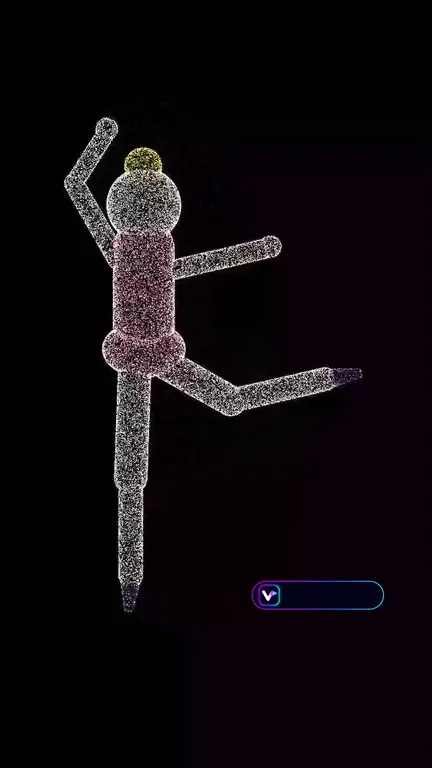 Spin Loop PRO: A dot-cloud sculpture spins on black in a perfect loop: the spinning-figure illusion where your brain can flip the direction. Pick a subject, the dot grain, colours, spin mode and loop length; every clip loops frame-exact.
 Pulse Bloom CREATOR: Glowing balls bounce inside a neon rainbow ring while a red ×2 badge orbits it. Every ball that strikes the badge spawns another ball and fires a ring-wide burst; every bounce sprays sparks and plays the next note of an original tune.
 Beat Ball PRO: Autonomous top-down 2D football: two bot teams of circle players with initials and name labels play on a striped pitch, with kick effects, goals, a scoreboard and a following camera. The match ends at the goal target or the match clock.
Video makers for this
Questions
Can I use my own photo?
Some games accept your own image. It stays on your device; only use photos you have the rights to use.
Where do I find a game's options?
Every game page lists its options under "What you can customize", and the same settings appear in the studio.