How to post 9:16 videos to TikTok, Reels and Shorts
Recordings from Vidirexa download as vertical 9:16 MP4 files, the portrait format TikTok, Instagram Reels and YouTube Shorts are built around. This guide covers getting the file from the studio to each platform.
The exact menus in each app change from time to time, so the steps below describe the general flow rather than every button.
From recording to post
- Record and download. Record the clip in the studio and download the MP4. If you recorded on a computer, move the file to your phone, or use the platform's desktop upload page.
- Upload as a video. In the TikTok, Instagram or YouTube app, start a new post or Short and choose the video from your gallery or files instead of recording with the camera.
- Keep it vertical. The file is already 9:16, so there is no need to crop or zoom. If the app offers a crop, leave the frame as it is.
- Add sound and text if you want. You can keep the game's own sound, or lower it and add audio in the app. Place any on-screen text away from the bottom and right edges, where the app shows its own buttons and captions.
- Write the caption and post. Describe what happens in a few words, ask a question viewers can answer (who wins? which colour?), add a few relevant hashtags and post.
One file, three platforms
The same 9:16 MP4 can be posted to TikTok, Reels and Shorts. Write the caption for each platform separately; what works as a hook on one may need different wording on another.
Before you post
Watch the downloaded file once on your phone, with sound, to check that it plays to the end and that names and text are readable. If you added music in the app, check that the game sound and the music do not clash.
Games for this guide
 Marble Race CREATOR: Run a seeded 3D marble race and turn it into a vertical video. Name and colour up to six marbles, pick a wooden, neon or candy track and its length, tune speed, bounce and friction, then preview the whole race for free before you record.
 Line Arena: Balls fan coloured lines to the rim of a shrinking ring; touching a rival line steals it, or cuts it until the owner bounces off the wall and regrows. Use flag, football, basketball or tech line-ups, your own contenders or your own photos, and pick from fourteen scenes and eight on-screen layouts.
 Melody Bounce CREATOR: A ball plays a song: every pad it hits sounds the next note, exactly on the beat. The level is generated from the tune, so short notes make tight zig-zags and rests make long flights. Pick a public-domain classic or an original, or load your own MIDI file.
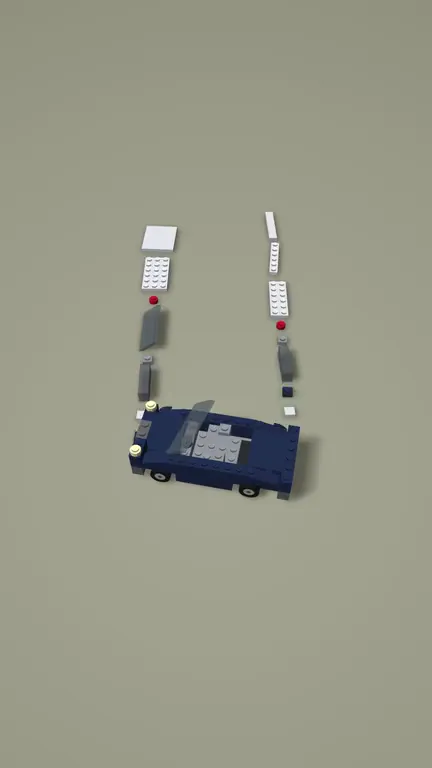 Brick Build: An original brick-vehicle speed-build: studded plates, tiles, slopes, fenders, glass and wheels slide along a conveyor and snap into a car on a matte studio floor, with a slow orbit and a hero reveal.
Video makers for this
Questions
Which format do I get?
A vertical 9:16 MP4 video file.
Can I post the same clip to all three platforms?
Yes, the same file works for TikTok, Instagram Reels and YouTube Shorts.
Will the platform crop my video?
Vertical 9:16 is the native shape of these feeds, so the video fills the screen without cropping. Keep important text away from the edges, where the app places its own buttons.