How do I start a faceless satisfying channel, step by step?
- Choose one format. Pick the format you would watch yourself and can make many variations of: marble races, ball battles, builds, merges, glass breaks, sorting algorithms or music visualizers. One clear format makes the channel easy to recognise.
- Make a test clip. Open a game in that format, for example Marble Race, change its settings and press preview. Customizing and previewing are free and need no account, so you can test the idea before you commit to it. Open Marble Race in the studio
- Give the series a recurring hook. Use the same kind of question in every video: who wins, will it fit, does the ball escape, which algorithm finishes first? Names, titles and end-screen text are editable in many games, so the hook can be yours.
- Record a small batch. Preview several settings in one session, record the best ones and download the files. A small stock of finished videos makes a regular schedule easier to keep.
- Set up the profile. Choose a channel name and a profile picture that match the format, and write a one-line bio that says what viewers get, such as "a new marble race every week". Use an image you made or have the rights to use.
- Post and review. Upload each clip as a short vertical video with a caption that asks the question. Every few weeks, look at which of your own videos people watch to the end and make more of that kind.
Which formats work without a face or a voice?
Formats where the picture asks and answers its own question. Some examples from the studio:
- Races and battles: Marble Race and Line Arena ask "who wins?" and let viewers pick a side before the start.
- Builds: Brick Build assembles a model brick by brick, a calm, ASMR-style process with a reveal.
- Merges: Fruit Merge evolves fruit tier by tier into a crowned final form.
- Glass breaks: Spiral Shatter smashes its way round a spiral of glass until the last try reaches the centre.
- Algorithms: Sort Spectrum turns sorting algorithms into colour and sound and can race them.
Is a simulation clip original content?
Each clip is rendered from the settings you choose when you record it, so it is not somebody else's footage. That is not an approval from any platform, though: each platform applies its own rules to your channel as a whole.
Make the videos clearly yours. Choose your own names, questions, colours and series format, and vary them from video to video instead of uploading near-identical clips.
Can a faceless satisfying channel be monetized?
On YouTube, monetization runs through the YouTube Partner Program. Its official overview (support.google.com/youtube/answer/72851, read 22 November 2026) lists eligibility thresholds based on subscribers plus watch hours or Shorts views, says channels must follow the YouTube channel monetization policies, and says every channel that meets the threshold goes through a review.
Those policies (support.google.com/youtube/answer/1311392, read 22 November 2026) expect content to be your original creation and not mass-produced, generic or repetitive. They describe reused content as content repurposed from YouTube or another online source without significant original commentary, substantive modifications, or educational or entertainment value. Both pages can change, so read the current versions before you plan around them.
This guide cites only YouTube's pages. For any other platform, read that platform's own official creator program pages yourself. There are no earnings figures here because there are none to promise.
What about sound and music?
Most games play original synthesized sounds that come with the recording, and many let you switch them off. If you add music in the app you post with, use tracks you have the rights to use or the sounds the platform offers.
Can I run the channel on the Free plan?
Preview is always free. The Free plan includes 2 recordings a day, each with a small vidirexa.com watermark inside the video; Creator, Pro and Lifetime recordings have no watermark. Each week some games need a paid plan and carry a PRO or CREATOR badge. Current prices are on the pricing page.
Games for this guide
 Marble Race: Named marbles race down a wooden, neon or candy track; keep the seed to replay the same race with new names.
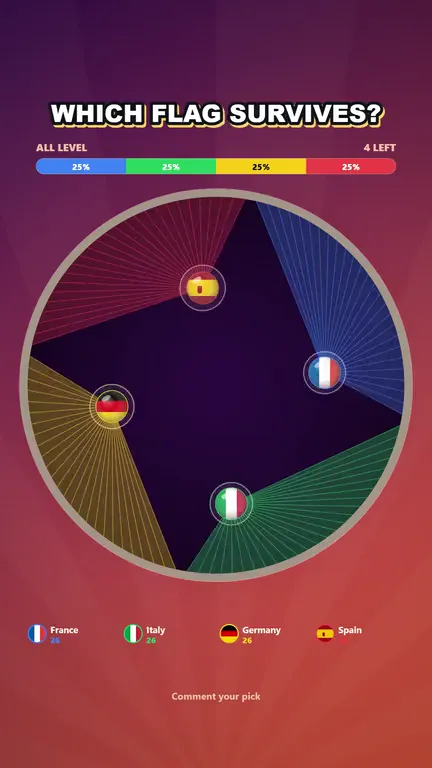 Line Arena: Balls fan coloured lines in a shrinking ring and steal rival lines: flags, sports teams, your names or photos.
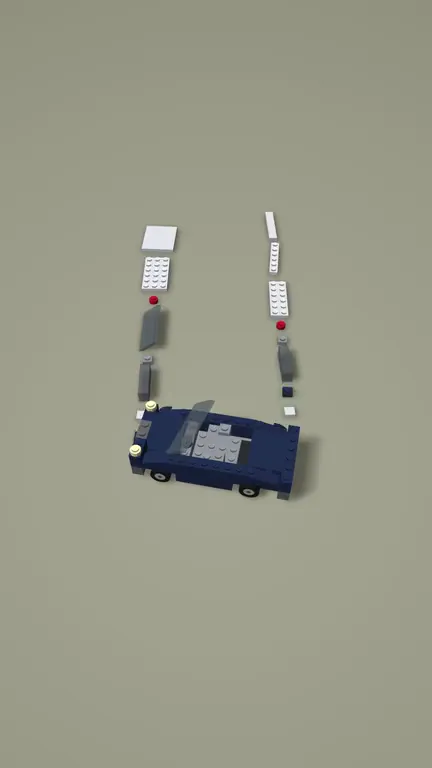 Brick Build CREATOR: An original brick-vehicle speed-build: studded plates, tiles, slopes, fenders, glass and wheels slide along a conveyor and snap into a car on a matte studio floor, with a slow orbit and a hero reveal.
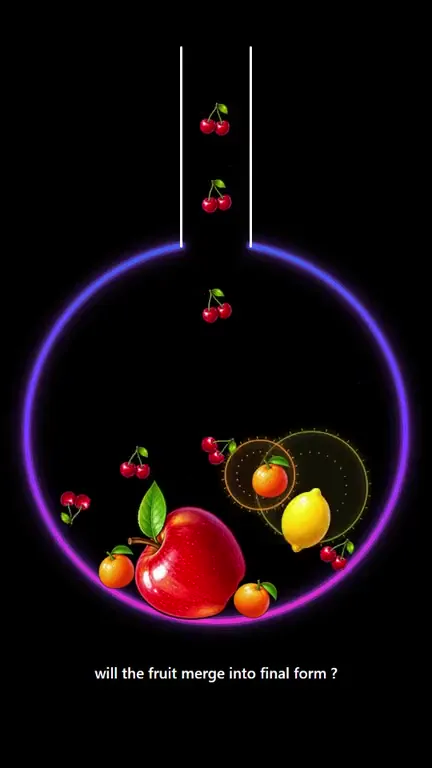 Fruit Merge PRO: Fruits drop, merge and evolve tier by tier into the crowned final form, and the clip ends on its own.
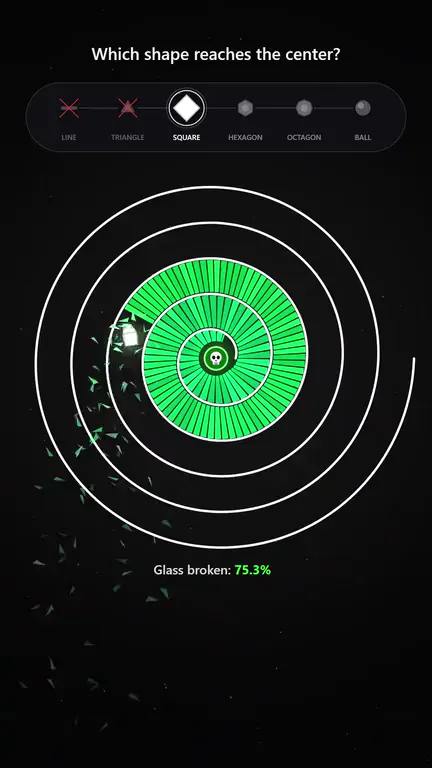 Spiral Shatter: A ball is thrown into a spiral full of glass. It smashes its way round until its energy is gone, the glass grows back, and the next try starts with one thing changed: the shape, the object, the speed, the size or the glass. The last try always reaches the centre and sets off the finale.
 Sort Spectrum CREATOR: Up to eight of 47 sorting algorithms rebuild a rainbow on shapes like a wheel or galaxy, a note per step.
Video makers for this
Questions
Do I need to show my face or use my voice?
No. The simulation is the whole video, so the channel can run on the clips alone. You can still add a voice-over or text in an editor if you want.
How much can a faceless channel earn?
Nobody can say in advance, and this guide gives no figures. Whether a channel can earn at all depends on each platform's program rules and review; for YouTube, see the YouTube Partner Program overview at support.google.com/youtube/answer/72851.
Do I need editing software?
No. Each recording downloads as a finished vertical MP4 that is ready to upload. You can still trim it or add text in any editor.
Can I post the same clip on several platforms?
Yes. The same 9:16 file works on TikTok, Instagram Reels and YouTube Shorts; write a caption for each one.
Can anyone guarantee my videos will get views?
No. What you control is the format, the question in the first second and a routine you can keep up.